Premium Features#
Lens K8S IDE premium features cover cloud cluster discovery, GitOps visibility, AI-assisted troubleshooting, security scanning, cost monitoring, and productivity tools.
14-day free trial
New Personal subscription users get a free 14-day trial with full access to all premium features. See Trial for details.
Automate repetitive tasks:
- Discover clusters from AWS EKS and Azure AKS accounts and Google Cloud projects, without managing kubeconfig files by hand.
- Track GitOps state with the Flux CD and Argo CD dashboards, seeing reconciliation, sync and health status, drift, and failures across clusters without the
fluxorargocdCLI. - Scan for vulnerabilities across images and workloads in Lens with Security Center.
Tackle complex tasks:
- Troubleshoot with AI using Ask AI, which connects your chosen AI tool to your cluster with live context.
- Connect your AI tool to your clusters and to Lens with the Lens MCP Server.
- Edit resources with a diff view using the advanced editor, comparing your unsaved edits against the last loaded version and reverting them in one click.
- Extend Lens with extensions, installing them from the built-in Extension Marketplace or building your own with your AI tool.
- Work with tabs side by side with Lens Studio: split the view, and open any tab in a window of its own.
- See what a cluster costs with Cost Monitoring, per namespace, including the capacity that no workload requests.
Premium features are included with Plus, Pro, and Enterprise subscription plans. For details, see Lens Pricing.
Premium capabilities#
The table follows the sections of the Premium Features dashboard.
| Category | Feature | Description |
|---|---|---|
| Productivity | Lens Studio | Work with tabs side by side in a split view, and open any tab in a window of its own |
| Extensions | Install extensions published by the community, or build your own with your AI tool, and find them all in the navigator | |
| Advanced editor | Compare your unsaved edits against the last loaded version of a resource, and revert them in one click | |
| Hotbar | Quick-access bar for your most-used clusters | |
| Kubernetes Cloud Environments | AWS EKS | Discover and connect to EKS clusters across your AWS accounts |
| Azure AKS | Discover and connect to AKS clusters across your Azure subscriptions | |
| Google GKE | Sign in with Google and discover the running GKE clusters in your Google Cloud projects | |
| GitOps | Flux CD | See reconciliation health, drift, failures, and recent activity across every Flux resource, without leaving Lens |
| Argo CD | See sync and health across every Argo CD Application and the resources it manages, and promote or abort Argo Rollouts, without leaving Lens | |
| AI & Intelligence Integrations | Ask AI | Summarize and analyze logs, metrics, events, and related resources for any Kubernetes object with the AI CLI of your choice |
| Lens MCP Server | Use Claude Code, Codex, or any MCP-compatible client to inspect and manage your clusters | |
| Cost & Security | Cost Monitoring | See what a cluster costs per namespace across CPU, memory, storage, and network, measured by OpenCost or Kubecost or estimated from cluster metrics |
| Security Center | Find the vulnerabilities in the images and workloads of your clusters |
Requirements#
- Lens K8S IDE installed and signed in with a Lens ID
- A Plus, Pro, or Enterprise subscription plan, or a Personal subscription with an active trial. For details, see Lens Pricing
- Internet connection for cloud environment connectors and subscription validation
Trial#
New users on a Personal subscription receive a 14-day trial with full access to all premium features. During the trial:
- All premium features work without restrictions.
- A countdown appears on the Premium Features button at the bottom of the navigation panel, showing your remaining trial days.
- The Premium Features dashboard shows contextual messages as the trial progresses.
When the trial expires, premium features return to their locked state. Locked features remain visible in the UI but their functionality is disabled. Your configurations and settings are preserved. Upgrade to restore access.
Premium Features dashboard#
The dashboard is available to every signed-in user, whatever their subscription plan and whether or not a trial is running. It is how you see which capabilities your plan includes: a locked feature stays on its card with an upgrade path instead of disappearing.
Open the Premium Features dashboard from any of the following entry points:
- The Premium Features card on the Welcome page.
- Help > Premium Features.
-
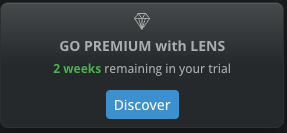
The Discover button under GO PREMIUM with LENS at the bottom of the Navigator:
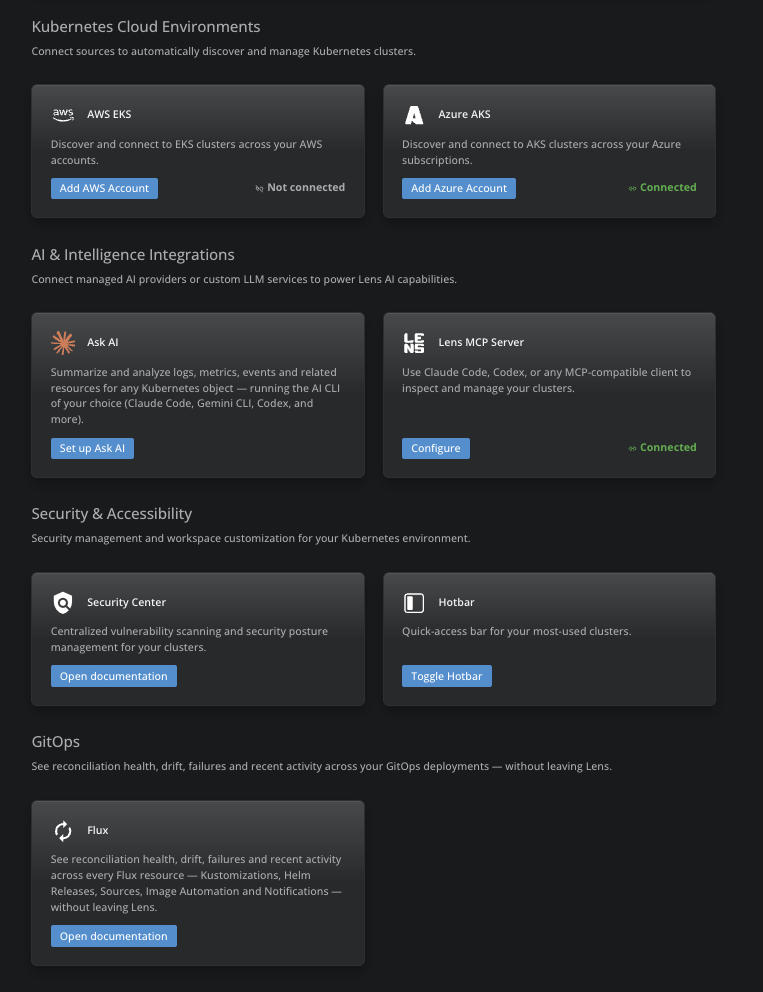
The dashboard groups the premium features into five sections: Productivity, Kubernetes Cloud Environments, GitOps, AI & Intelligence Integrations, and Cost & Security. Each card shows the feature in use, with its name and a short description.
Some cards have a short video that shows how to use the feature. Select the play button on the card to watch it.
Related topics#
-
Cloud environments, AI providers, and local kubeconfigs in one place.
-
Select the AI tool Lens runs, install it, and choose the terminal.
-
Connect your AI tool to your clusters and to Lens.
-
How to connect cloud environments
Add clusters from AWS EKS, Azure AKS, and Google GKE.