Create an extension to highlight production clusters#
Lens premium subscription feature. See details on Lens Pricing.
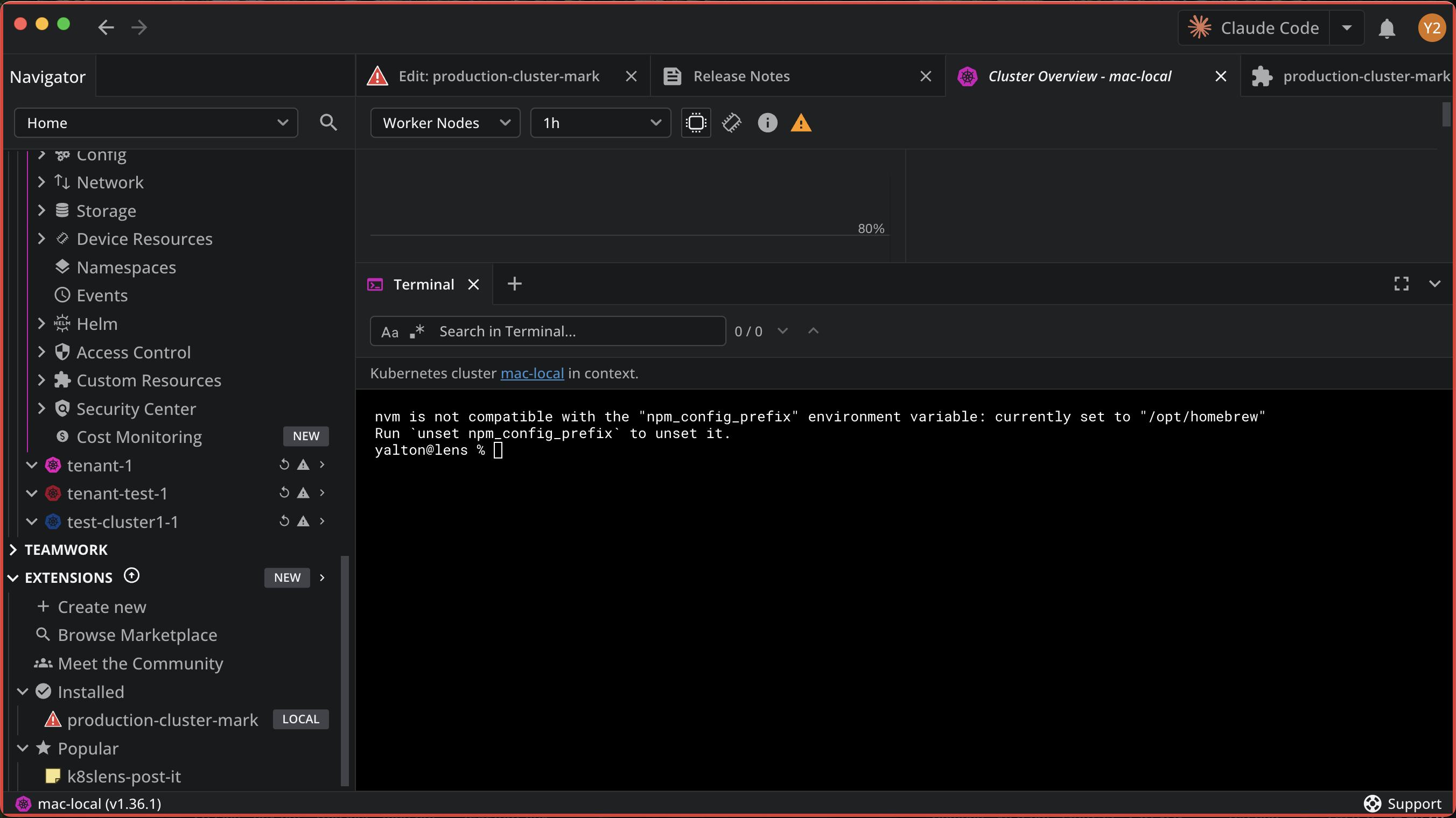
Build a real extension without writing code: a red edge around the whole Lens window while you work in a production cluster, so nobody changes production by mistake.
Prerequisites#
- Lens K8S IDE installed
- An AI coding tool selected in the AI tool menu in the top bar, for example Claude Code
- Node.js and npm installed
Step 1: Create the extension#
To create it:
- Open the AI tool menu in the top right corner and click Create extension.
- Name it
production-cluster-markand click Create.
Lens scaffolds the project under ~/.k8slens/extensions/, installs it, and opens an Edit tab for it, named after the extension folder, with your AI tool running in it. For the full flow, see Create an extension.
Step 2: Describe the mark#
Write the request in the Edit tab, in your own words. For example:
Draw a red edge around the Lens window while I am in a production cluster,
so nobody changes production by mistake. Treat clusters named with prod as
production, and let me mark or unmark any cluster by hand.
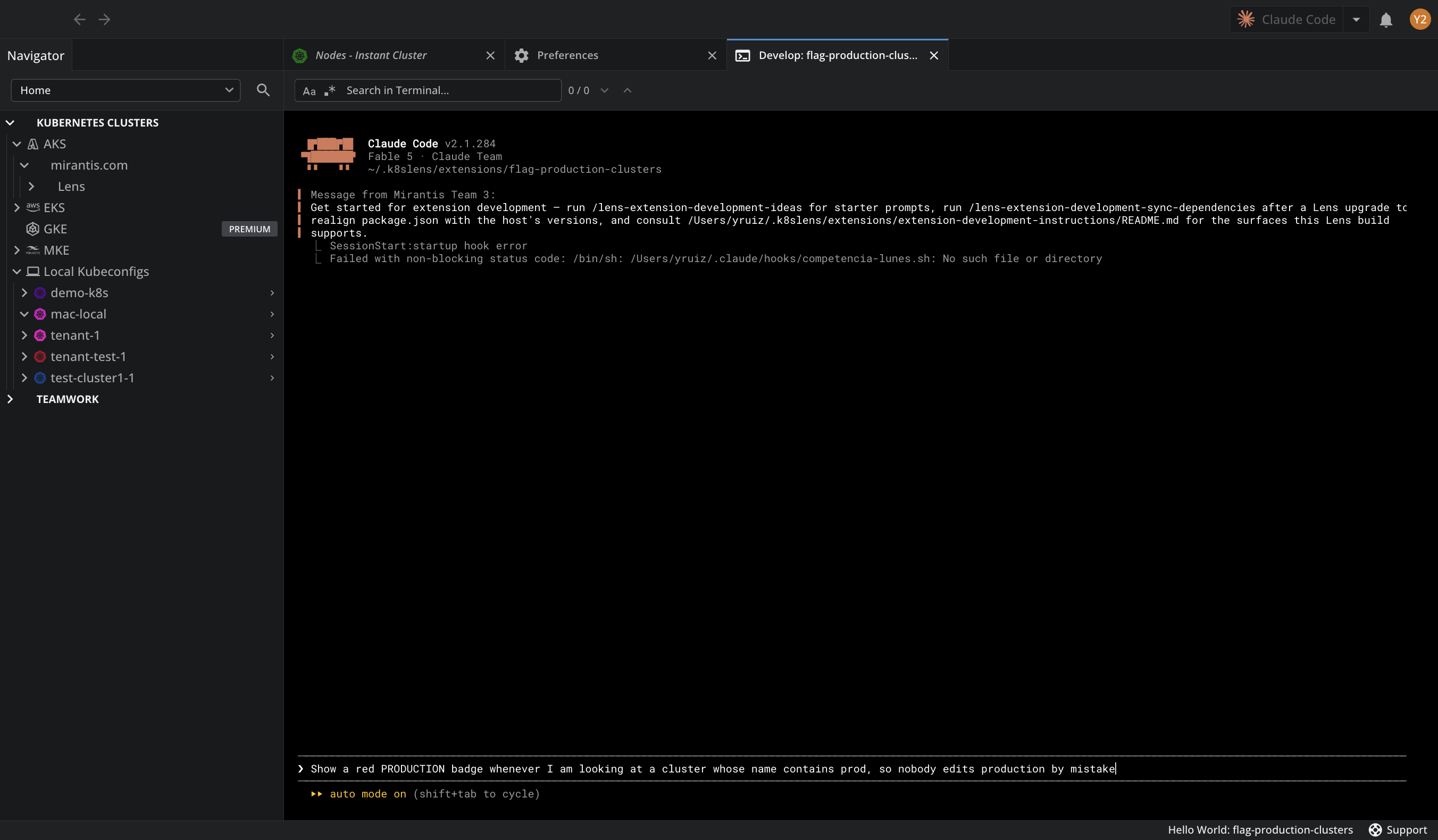
The AI tool picks the right Lens surfaces from the capability reference, writes the code, and rebuilds the extension.
Step 3: Mark your production clusters#
The extension built for this example decides which clusters are production in two ways:
- By name. A cluster whose name contains
prod,production, orprdas a separate word, such asprod-euorprd01, counts automatically. Names likepreprodornonproddo not. - By hand. Right-click a cluster in the Navigator and select Mark as production or Unmark as production. Your choice overrides the name rule and persists across restarts.
What your AI tool builds depends on what you ask for. Check the extension's README.md for the rules it follows.
Step 4: Verify#
To check the extension:
- Wait for the AI tool to finish the build. Lens loads the rebuilt extension on its own.
-
Open a production cluster and confirm the red edge runs around the window.
-
Switch to a cluster that is not production, or to a tab that is not a cluster, and confirm the edge disappears.
Completed
You have created and installed a Lens extension that flags production clusters, without writing code yourself.