Run a canary rollout with Argo Rollouts#
Lens premium subscription feature. See details on Lens Pricing.
Update a workload with a canary rollout and follow it in Lens K8S IDE. The new revision receives 20% of the traffic, waits for you to promote it, moves to 50%, and then takes all the traffic. For what each view and action shows, see Argo Rollouts.
What happens at each step#
The table lists what you do and what the Rollouts list shows at each stage of the update. The two pauses are where the rollout waits: the first one for you, the second one for 30 seconds.
| Stage | What you do | Status | Step | Weight |
|---|---|---|---|---|
| Rollout created | Apply the manifest | Healthy | 4/4 |
100% |
| Set weight 20% | Change the image | Progressing | 0/4 |
20% |
| Pause until promoted | Check the new revision, then select Promote | Paused | 1/4 |
20% |
| Set weight 50% | Nothing | Progressing | 2/4 |
50% |
| Pause 30s | Nothing | Paused | 3/4 |
50% |
| Update done | Nothing | Healthy | 4/4 |
100% |
Set weight steps last only as long as the new pods take to start, so the list can skip from 1/4 to 3/4.
Before you begin#
- The Argo Rollouts controller runs in the cluster. See the Argo Rollouts installation guide .
- The cluster is connected in Lens K8S IDE, and the Argo CD entry shows the Rollouts group. If it does not, disconnect and reconnect the cluster.
- Your Kubernetes role has the
patchverb onrolloutsandrollouts/status.
Create the rollout#
-
Save this manifest as
demo-canary.yaml:apiVersion: argoproj.io/v1alpha1 kind: Rollout metadata: name: demo-canary spec: replicas: 5 selector: matchLabels: app: demo-canary template: metadata: labels: app: demo-canary spec: containers: - name: demo image: argoproj/rollouts-demo:blue ports: - containerPort: 8080 strategy: canary: steps: - setWeight: 20 - pause: {} - setWeight: 50 - pause: {duration: 30s}The four steps appear in Lens K8S IDE as Set weight 20%, Pause until promoted, Set weight 50%, and Pause 30s.
-
Apply it:
kubectl apply -f demo-canary.yamlIf Argo CD manages the namespace, commit the manifest to the Git repository of the Application instead, and let Argo CD sync it.
-
In the cluster navigator, select Argo CD > Rollouts > Rollouts. The
demo-canaryrollout shows Healthy, Step4/4, and Weight100%.
The first revision of a rollout becomes stable at once. The steps run from the next update.
Start the update#
Change the image of the rollout to start a canary update:
kubectl patch rollout demo-canary --type json \
  -p '[{"op": "replace", "path": "/spec/template/spec/containers/0/image", "value": "argoproj/rollouts-demo:yellow"}]'
The controller creates a ReplicaSet for the new revision, sends it 20% of the traffic, and stops at the pause. In the Rollouts list, demo-canary shows Paused, Step 1/4, and Weight 20%.

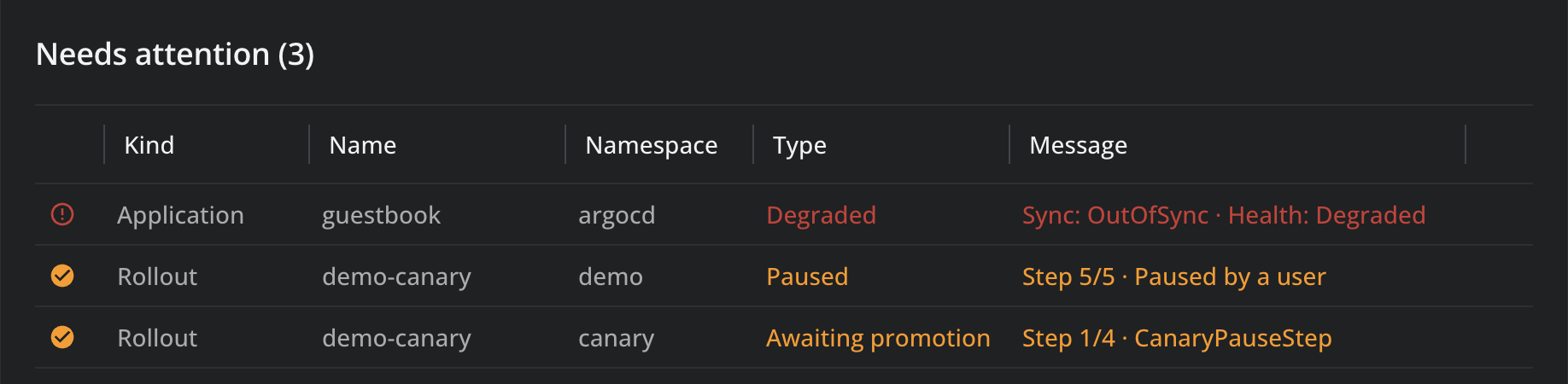
The Argo CD dashboard lists the rollout under Needs attention as Awaiting promotion, at Step 1/4. A rollout that a user paused shows Paused instead.
Check the new revision#
- Select
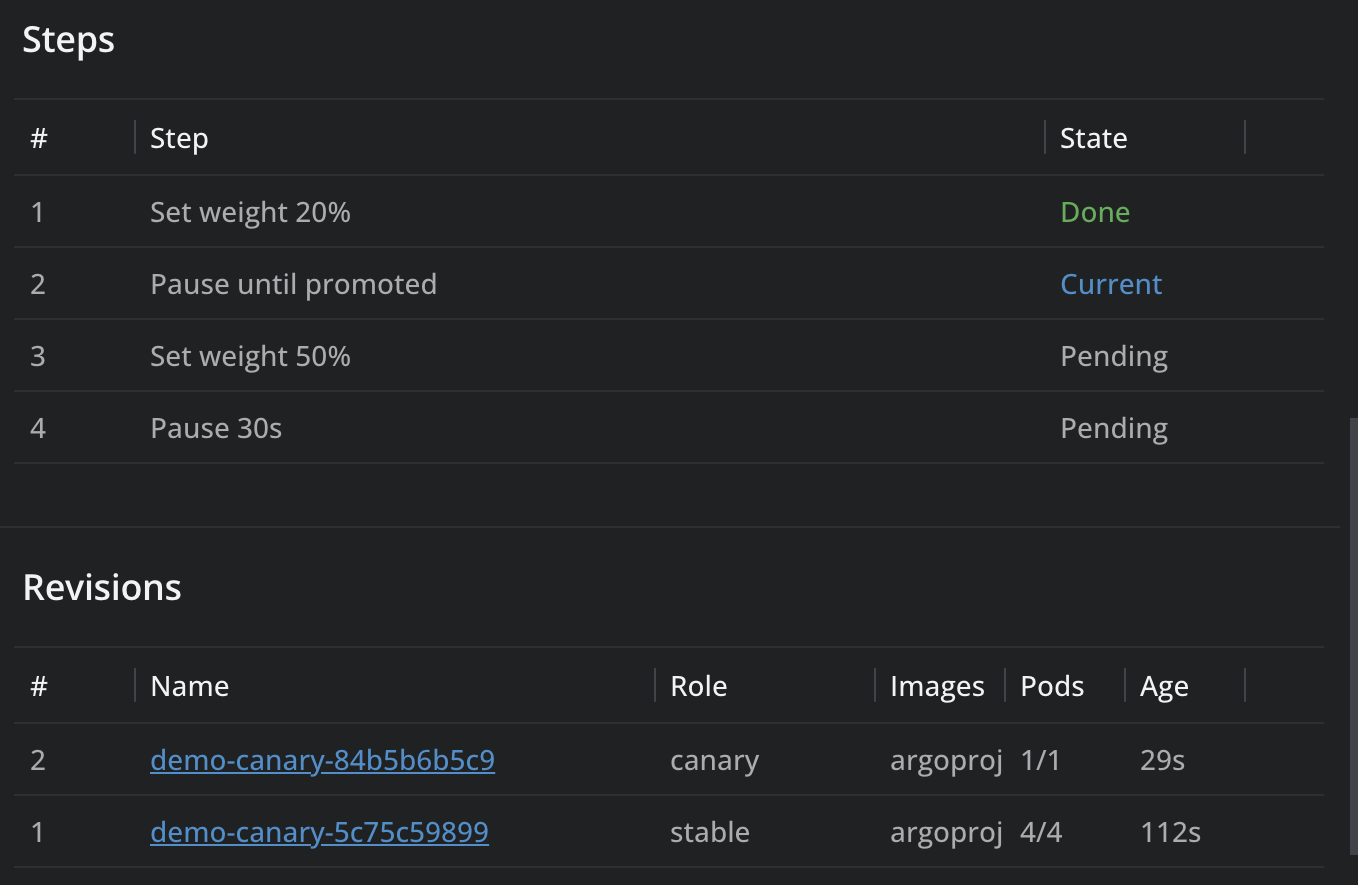
demo-canaryto open its details panel. - In Steps, check that Set weight 20% is Done and Pause until promoted is Current.
- In Revisions, check the pods of the canary revision next to the stable one.
Promote the rollout#
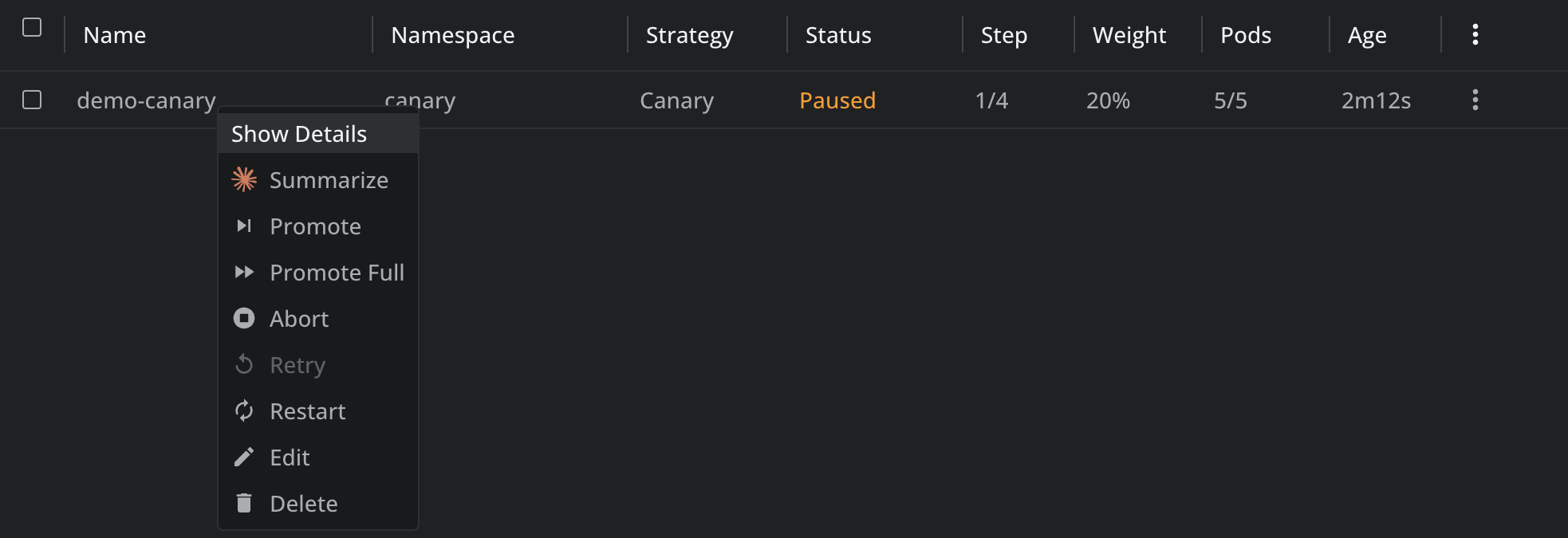
- Right-click
demo-canary, or open its context menu. -
Select Promote.
A notification reports Promoted rollout demo-canary. The rollout moves past the pause and sends 50% of the traffic to the new revision. During Pause 30s, the list shows Paused, Step 3/4, and Weight 50%. That pause ends without any action from you.

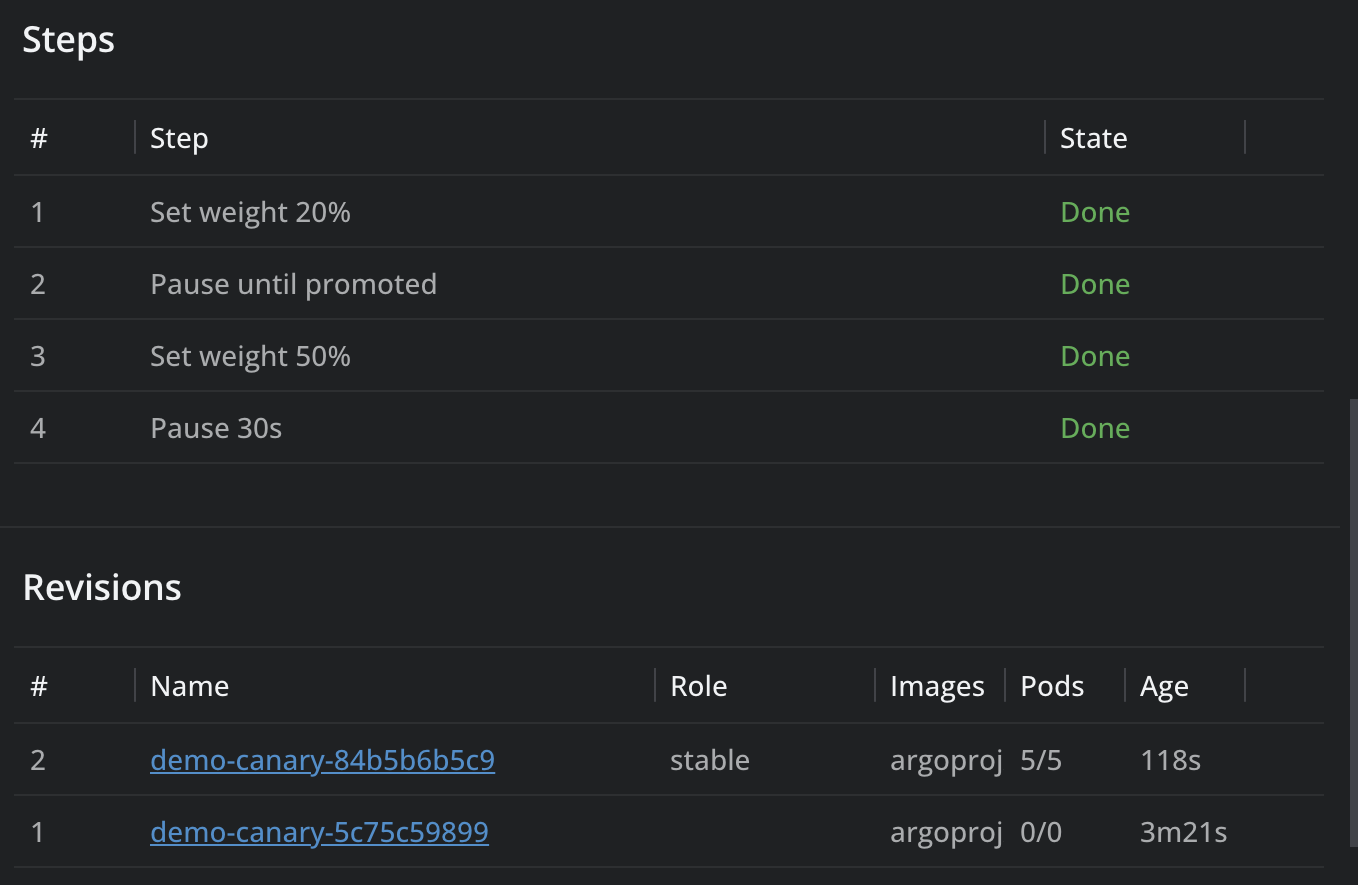
After the last step, the list shows Healthy, Step 4/4, and Weight 100%. In the details panel, every step is Done, and the new revision is stable with all the pods.
Abort the update#
To stop the update at any step, select Abort from the rollout's menu and confirm. The new revision scales down, all traffic goes back to the stable revision, and Weight shows 0%. Select Retry to restart the update.
To skip the remaining steps instead, select Promote Full and confirm. The new revision becomes stable at once.
Clean up#
kubectl delete rollout demo-canary
To discuss Argo Rollouts support for your organization, contact us.