Resource Slices view#
In the Resource Slices view, you can inspect Kubernetes ResourceSlices, which are how a driver publishes the devices it finds on a node. Slices are where the device inventory starts: a claim can only be allocated a device that some slice publishes. See Kubernetes documentation: ResourceSlice for details.
Resource slices are cluster-scoped. Each one belongs to a driver, lives in a pool, and targets a node.
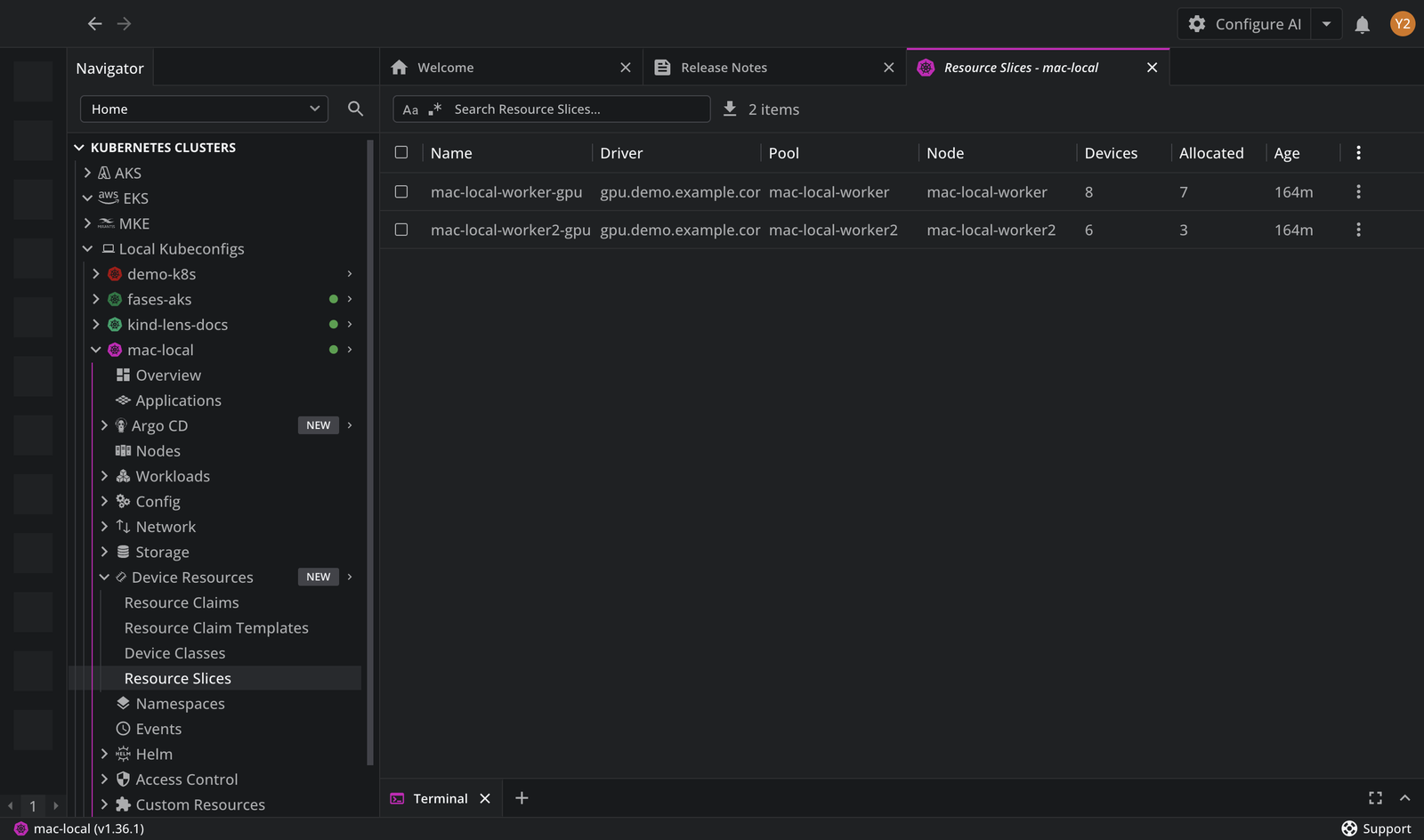
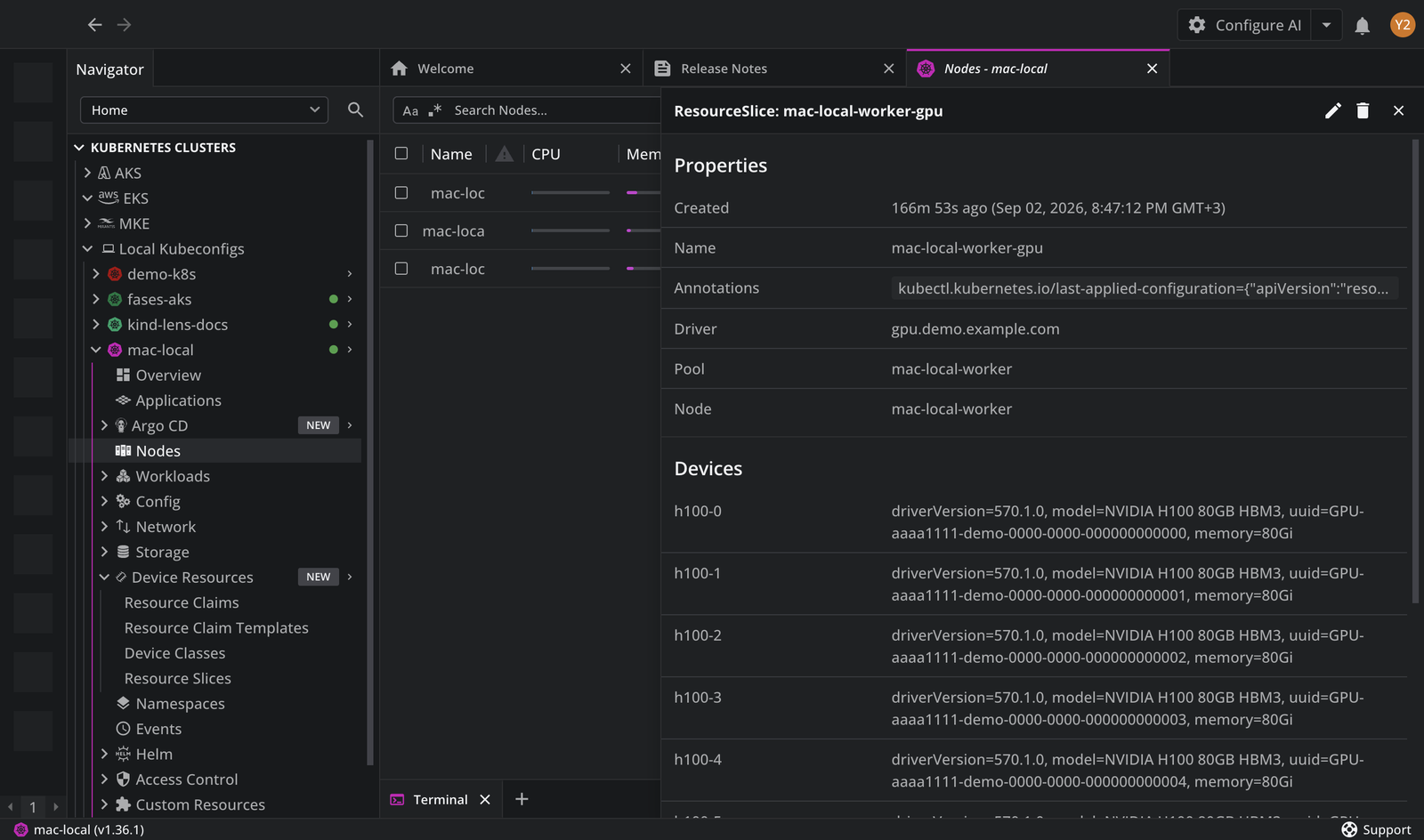
The Resource Slices table lists the slices in the cluster. You can click the list items and open the details panel with the slice Driver, Pool, and Node, followed by a Devices list. You can also search for a specific item using the Search Resource Slices input field.
Note
The table content can be exported in the CSV file format.
By default, the table consists of the following columns:
| Column | Description |
|---|---|
| Name | The name of the slice. |
| Driver | The driver that published the slice. |
| Pool | The pool the slice belongs to. |
| Node | The node whose devices the slice publishes. |
| Devices | The number of devices the slice publishes. |
| Allocated | How many of those devices are allocated to a claim. |
| Age | The time elapsed since the slice was created. |
Devices#
The Devices list in the details panel names each device the slice publishes, with its attributes, its capacity, and any taints on it. The attributes are what device classes select on, and what tells you which hardware a device actually is.
For what those descriptions contain and how to read them, see Inspect DRA devices.