Share the source on Git#
Lens premium subscription feature. See details on Lens Pricing.
Publishing to npm is enough for others to install your extension, and its share link is enough to hand it to them. Sharing its source on Git is optional, and it turns the extension into something others can build on. With a public repository linked from the extension:
- Every user sees a Repository link on the extension's details page, and can read the source before they install it.
- Other users can Clone the extension in Lens: Lens copies the repository into a local extension of their own, builds it, and opens it in their AI tool.
- Anyone can improve the extension and open a pull request against your repository, so fixes and features come back to you.
Prerequisites#
- A published extension, or one you are about to publish. See Publish an extension.
- An account on a Git host, such as GitHub, where the repository will live. The repository can be public or private.
Ask your AI tool to share the source#
You do not need to set anything up by hand. Your AI tool does it from the extension's Edit tab. Describe what you want, for example:
Put this extension's source in a GitHub repository, link it in
package.json, and add an MIT license.
The AI tool creates the repository, pushes the extension's folder to it, and fills in the fields Lens reads from package.json. It asks you for anything only you can decide, such as the license and the author, rather than choosing for you.
Then publish a new version, so npm and the Extension Marketplace carry the new fields. See Publish a new version.
Public or private repository#
- Public: everyone who finds the extension can read the source, clone it, and open pull requests.
- Private: only people with access to the repository can. Everyone else still installs the extension from the marketplace, because the npm package is public, but the Repository link and Clone do not work for them. Lens clones with the Git on the user's machine, so a user with access must have Git already signed in to your Git host. Lens cannot ask for a password.
Use a private repository to share an extension's source only within your team or company.
What each field gives other users#
repository: the Repository link on the details page, and the Clone button. Without it, the extension cannot be cloned.license: the license shown under Details on the details page, with a matchingLICENSEfile. Without a license, others may not use the extension.bugs: where users report problems with the extension. Its details page shows a Report a problem link. Clicking it opens your issue tracker in the browser, such as the repository's GitHub Issues page, so users can file a bug or ask a question. If you give an email address instead of a URL, it opens a new email to that address. Without it, users have no way to reach you from Lens.homepage: a Homepage link, when it is a different page from the repository.
When repository or license is missing, the Publish dialog warns about it, and Edit the extension to fix this opens the extension in your AI tool.
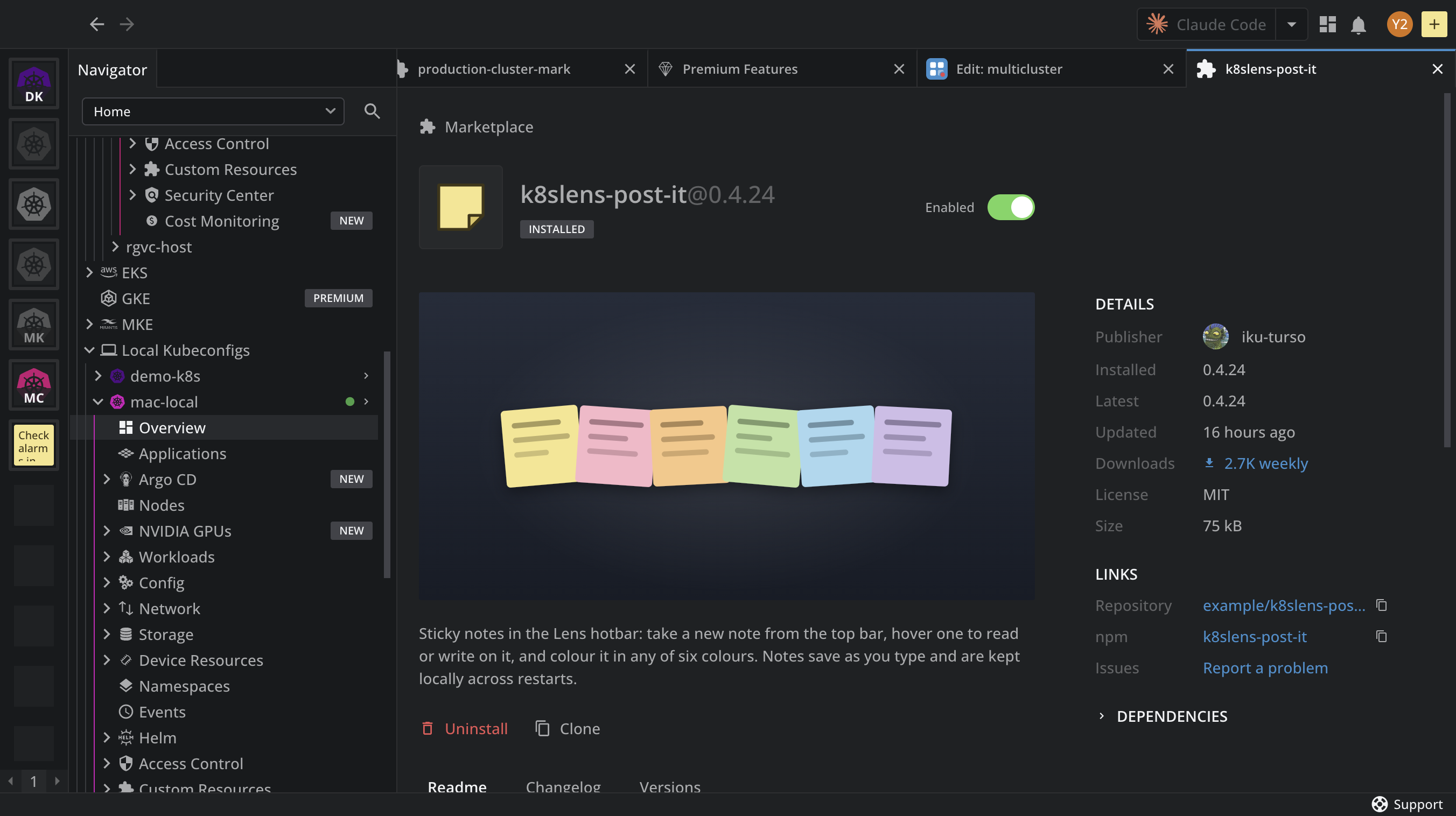
The details page of a shared extension shows its license under Details, and the Repository, npm, and Issues links under Links, next to the Clone button:
What others do with it#
Once the repository is linked, other users click Clone on your extension to get a local copy of their own, change it in their AI tool, and open a pull request against your repository. See Clone an extension.