Compatibility matrix#
Lens premium subscription feature. See details on Lens Pricing.
Lens K8S IDE works out which version of an extension runs on your Lens build by itself. Nobody maintains a compatibility table by hand: Lens builds the matrix from npm dependency ranges, for every published version of every extension, and installs only a version that fits.
How the matrix is built#
Two sides go into it:
- What your Lens build serves. Lens serves extensions a set of packages from its own bundle, such as
react,mobx, and the@k8slenspackages an extension builds on, each at the exact version this build ships. Lens writes the list at every launch to~/.k8slens/extensions/extension-development-instructions/README.md, under Dependency versions in this Lens build. - What each extension version declares. Every published version of an extension declares, in the
dependenciesandpeerDependenciesof itspackage.json, the range it needs of each of those packages, such as^19.1.0.
A version fits your Lens when every range it declares for a Lens-served package includes the version your Lens serves. Packages that Lens does not serve are the extension's own, and Lens does not check them.
Lens applies the same match whenever it installs an extension, checks for updates, shows an extension's versions, and loads an extension at start.
Which version you get#
When you install an extension, Lens picks the newest published version that fits your Lens build:
- The latest version fits. Lens installs it.
- Only an older version fits. Lens installs the newest one that does, and says so: "Installing
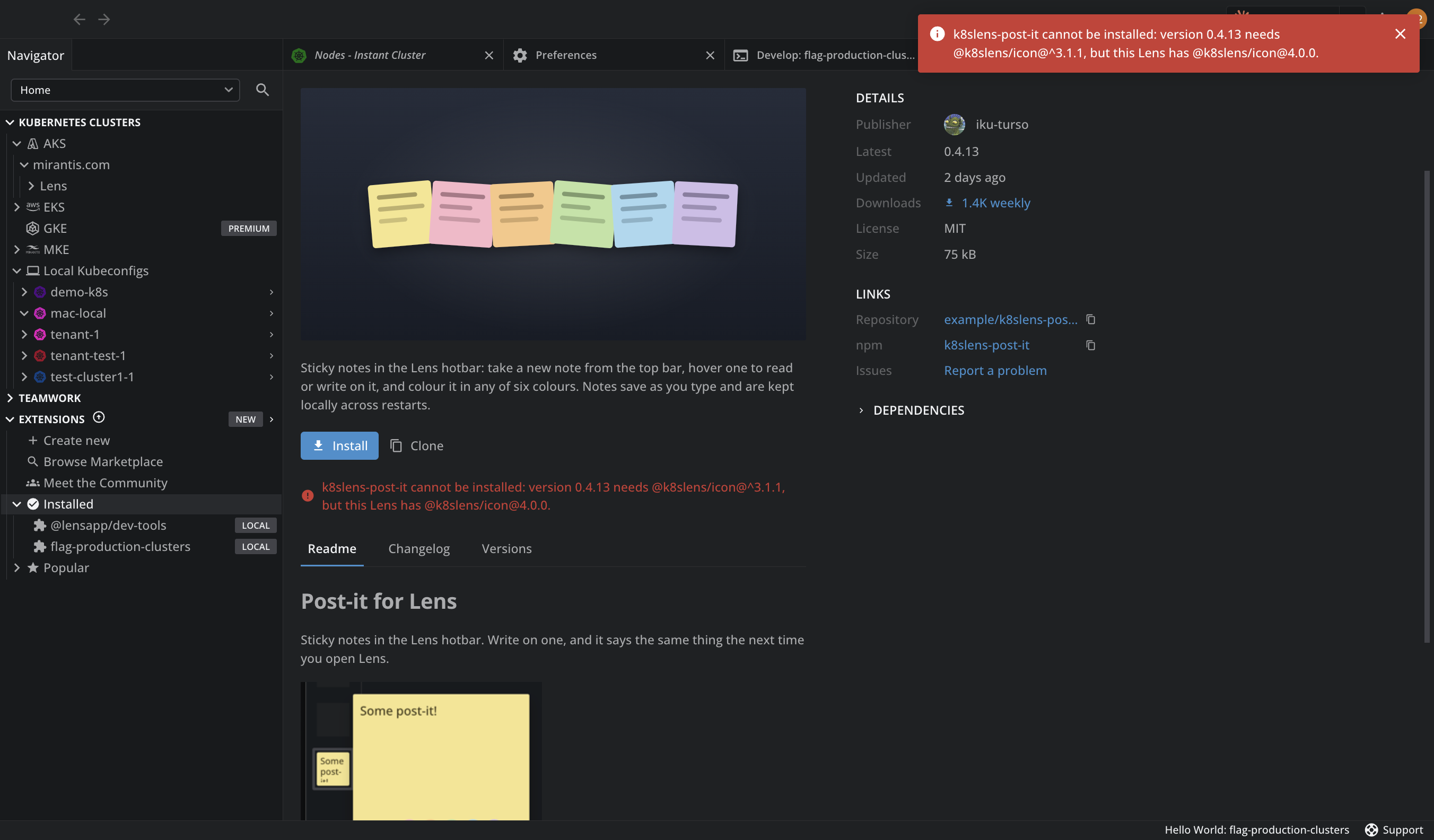
<NAME><VERSION>rather than the latest", with the dependency that ruled out the newer version. - No version fits. Lens refuses the install and names the dependency and the versions involved, for example "version 2.0.0 needs react@^19, but this Lens has react@18.3.1". Update Lens to install the extension.
Lens prefers regular releases, then deprecated ones, then prereleases, so you get a prerelease only when nothing else fits.
What you see in Lens#
-
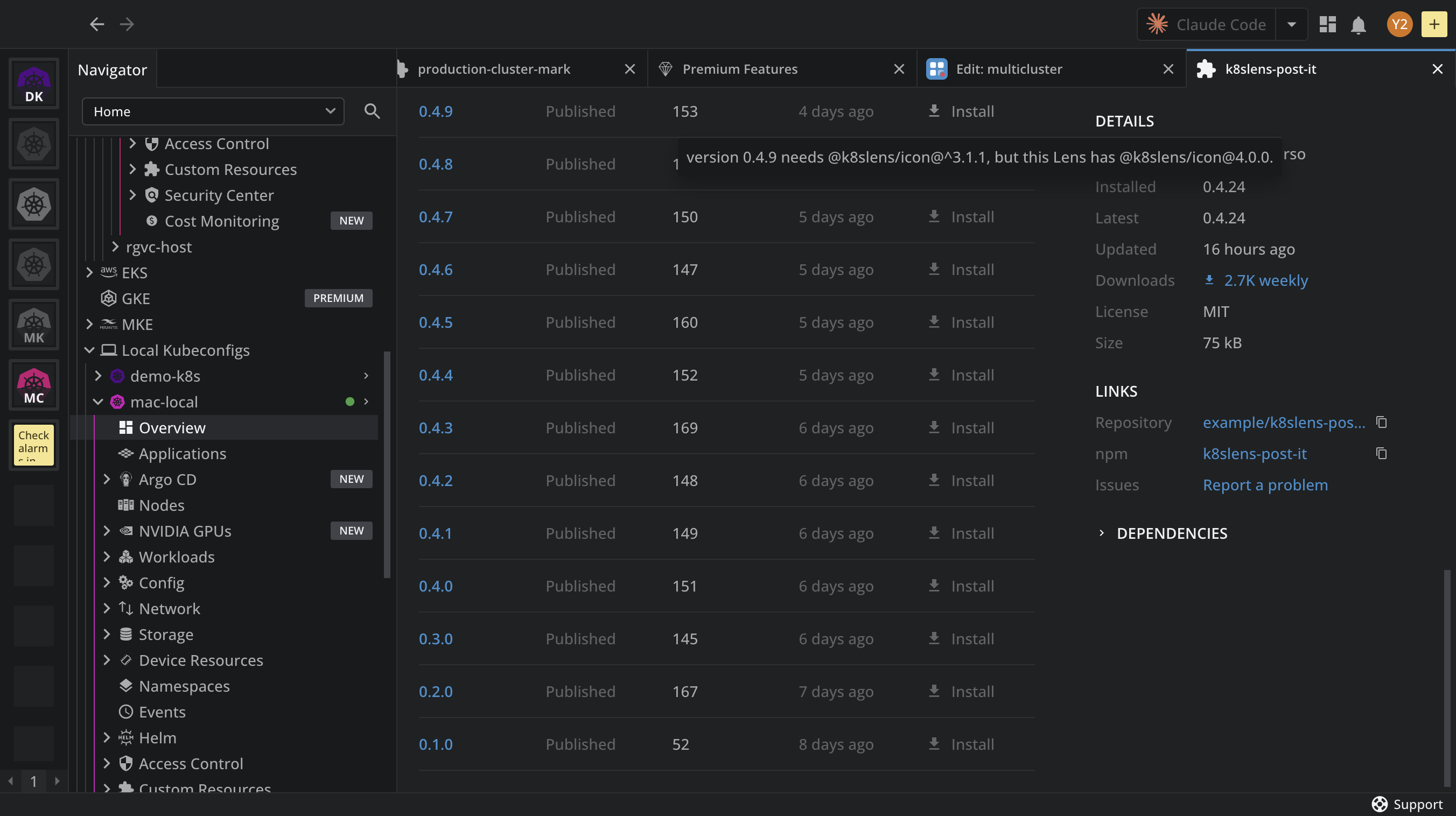
Versions tab. On an extension's details page, the Versions tab lists every published version. Install is turned off on each version that does not fit your Lens build, and its tooltip says why.
-
A version that needs a newer Lens. When an update exists but needs a newer Lens K8S IDE than yours, the extension's card and details page say so, for example "v2.0.0 needs a newer Lens", and your current version stays. When a newer Lens is already downloaded, the card offers Update Lens.
- A version for this Lens. When the version you have does not fit your Lens build, for example after a Lens upgrade, but another version does, the card offers Switch to move to it.
- An extension that cannot load. When an installed extension does not fit, a red error icon marks it under Installed. Hover the icon to read the error, such as
Declared range for "<DEPENDENCY>" (<RANGE>) is not compatible with Lens's <VERSION>.
For how updates follow the matrix, see Update an extension.
Keep your extension compatible#
If you develop an extension, its dependency ranges decide who can run it:
- Declare
^<version>for every Lens-served package the extension uses, with the versions from Dependency versions in this Lens build in the generatedREADME.md. - After every Lens upgrade, run
/lens-extension-development-sync-dependenciesin your AI tool. It realigns the ranges inpackage.jsonwith the running build, reinstalls, and rebuilds. - Declare honest ranges before you publish. A user on an older Lens still gets the version made for it, as long as that version's ranges are true. A range that claims more than the extension supports produces an extension that installs and then fails to load.