Resource Claims view#
In the Resource Claims view, you can inspect Kubernetes ResourceClaims, which request the devices a pod needs. A claim asks a device class for devices instead of naming the hardware. See Kubernetes documentation: ResourceClaim for details.
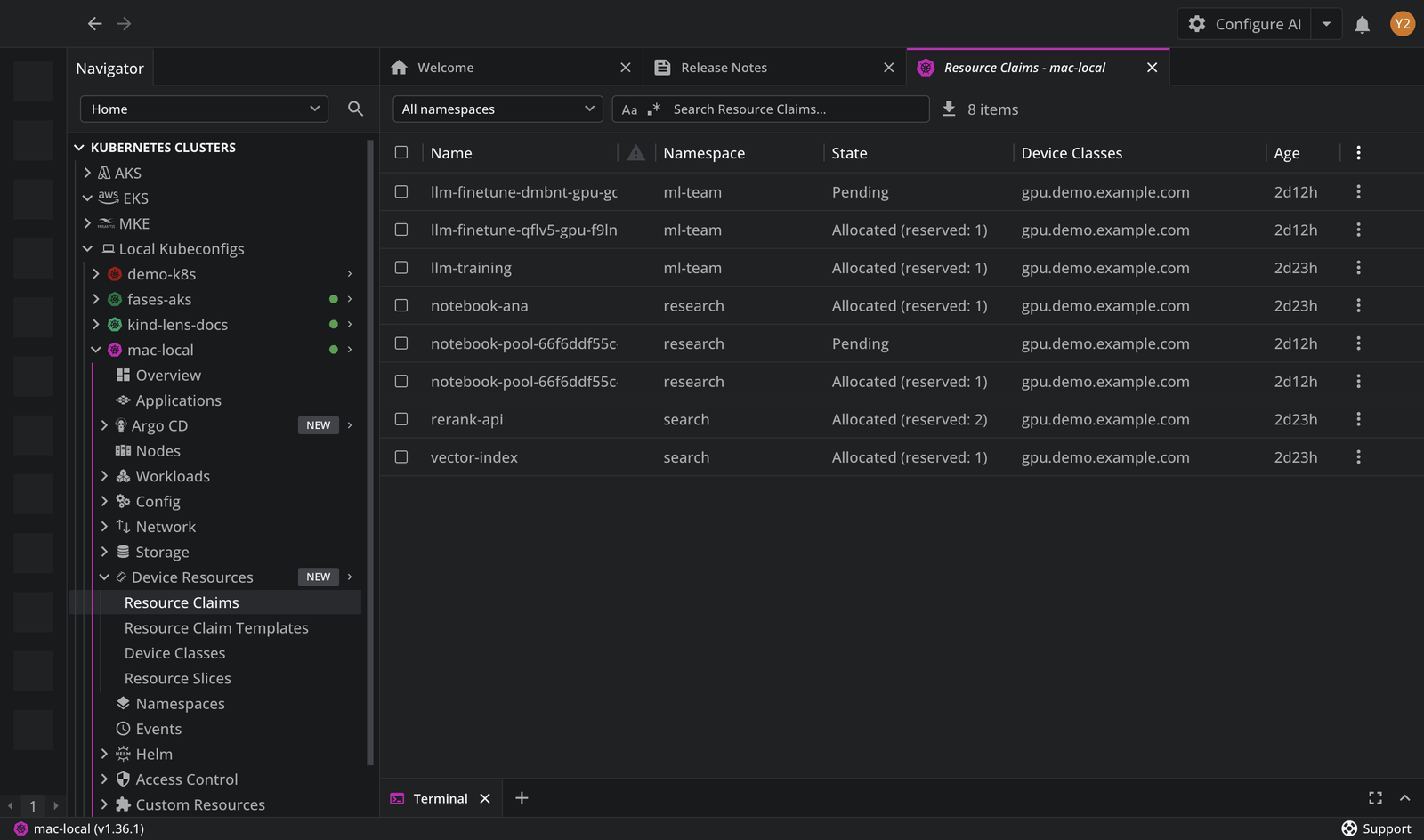
The Resource Claims table lists the claims in the selected namespaces. You can click the list items and open the details panel with the requests, the allocation, and the pods holding a reservation. You can also search for a specific item using the Search Resource Claims input field.
Note
The table content can be exported in the CSV file format.
By default, the table consists of the following columns:
| Column | Description |
|---|---|
| Name | The name of the claim. |
| Status | Shows a warning icon when a driver reports an unhealthy device for the claim. |
| Namespace | The namespace the claim belongs to. |
| State | Pending, Allocated, or Allocated (reserved: <N>), where <N> counts the pods holding a reservation. |
| Device Classes | The device classes the claim requests devices from. |
| Age | The time elapsed since the claim was created. |
Device health#
The status icon appears when a driver reports a failing condition for one of the claim's devices. Point at the icon to read which device and driver reported it, in the form Device <DEVICE-NAME> (<DRIVER-NAME>) reports <CONDITION>=<STATUS>, followed by the driver's message.
Pending claims#
A claim stays Pending until the scheduler finds a node with matching devices. The Kubernetes scheduler does not preempt DRA resources, so a pod that already holds a device keeps it, whatever the priority of the pod waiting for it.