Lens 2026.9.20601-latest - Release#
The new release of Lens Desktop is here.
To ensure a smooth transition and minimize disruption we’ll start by rolling out the update to a small portion of our users, then incrementally increasing this number until all users have access to the update. If you have not received the update and wish to try it out, you can download this version manually at our website .
Enhancements#
-
GPU and device visibility with Kubernetes DRA. Kubernetes Dynamic Resource Allocation (GA in Kubernetes 1.34) is now first-class in Lens. A new Device Resources section lets you browse Resource Claims, Resource Claim Templates, Device Classes and Resource Slices, complete with detail panels and create-resource templates. See which device classes and drivers each claim requests, how many devices each resource slice has allocated, each pod's claims and each node's device inventory, and get warned when a device reports unhealthy. Jump between a claim and the pods holding it, and Ask AI about any DRA resource.
-
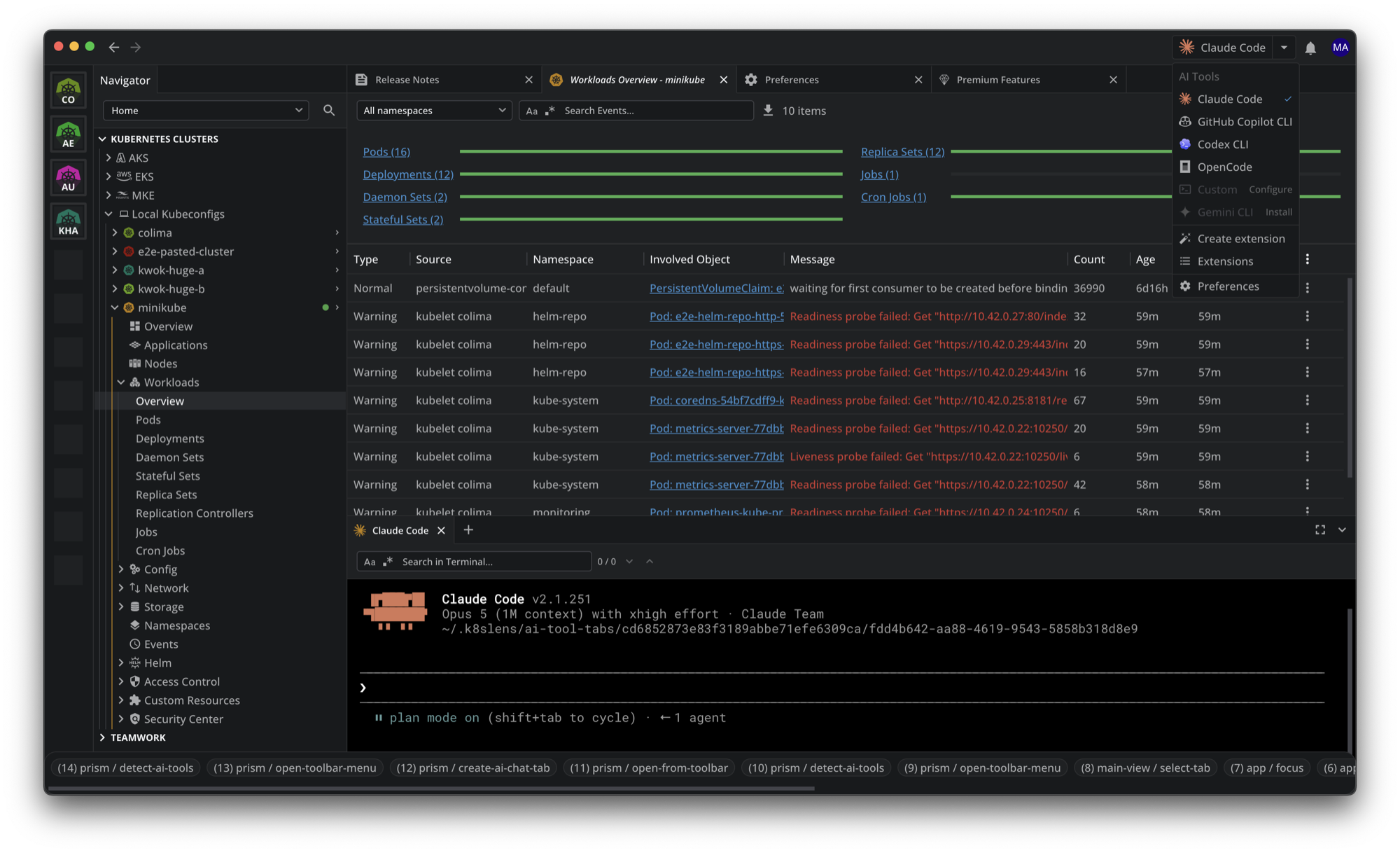
Pick your AI tool from the top bar. Switch between Claude Code, GitHub Copilot CLI, Gemini CLI, Codex CLI, OpenCode and your own custom command straight from the AI tool button, with no trip to preferences. Each row shows whether the tool was found on your PATH, and offers an install link or a Configure button where one is needed. Ask AI is a premium feature.
Bug Fixes#
- Blank window on launch. Lens no longer opens as a blank window on every launch, which the 2026.9.11257 build did for the users it reached.