Device Resources#
The Device Resources subsection contains descriptions of views where you can inspect Kubernetes Dynamic Resource Allocation (DRA). DRA requests the devices attached to your nodes, such as GPUs or network interfaces. A pod claims a device instead of naming a fixed device count in its spec. See Kubernetes documentation: Dynamic Resource Allocation for details.
The views read the resource.k8s.io/v1 API, which Kubernetes serves from version 1.34. Clusters on earlier versions serve DRA under beta API versions that Lens K8S IDE does not read, so the entry does not appear for them.
Info
DRA needs a driver for the devices you want to allocate. The driver publishes the ResourceSlices that tell Kubernetes which devices exist on which nodes, and attaches allocated devices to containers.
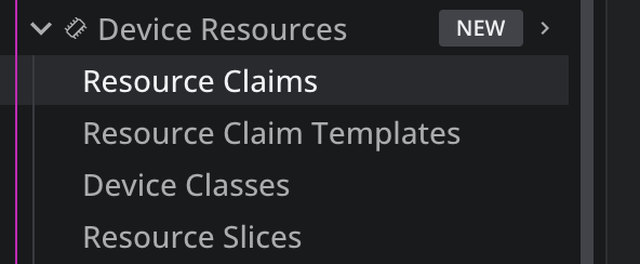
The subsection holds four views, from what a pod asks for down to what the hardware offers:
View the Device Resources entry#
Lens K8S IDE adds the Device Resources entry to the cluster navigator automatically. It appears when Lens K8S IDE detects the resource.k8s.io resources in the connected cluster, and your permissions let you list at least one of them.
DRA differs from Flux CD and Argo CD here. It is a built-in Kubernetes API group rather than a set of CRDs, so there is nothing to install: the entry is present from your first connection to a cluster that serves the API. The tables stay empty until a driver publishes devices.
Reconnect after a cluster upgrade
Lens K8S IDE reads the cluster's resources while connecting. When a cluster starts serving the DRA APIs later, after a Kubernetes upgrade or a change to your permissions, disconnect and reconnect it to refresh the Navigator.
To open Device Resources:
- Connect to a cluster that serves the DRA APIs.
- In the cluster navigator, select Device Resources.
Claims and devices on pods and nodes#
A pod's details panel shows a Resource Claims section when the pod uses a claim. It lists each claim, whether the pod references it directly or through a template, its state, and the containers that request it.
A node's details panel shows a Devices section when Resource Slices publish devices for that node. It lists each device, its driver and pool, its attributes, and the claim that holds it. To work through that section and read the device descriptions a driver publishes, see Inspect DRA devices.